Checkout is paused for a short while for maintenance. Your cart is saved: please check back soon.
Help topic 2 of 10
Find your way around
Once you're approved, your store's menu appears in the header after your store name. Everything you need is one click away.
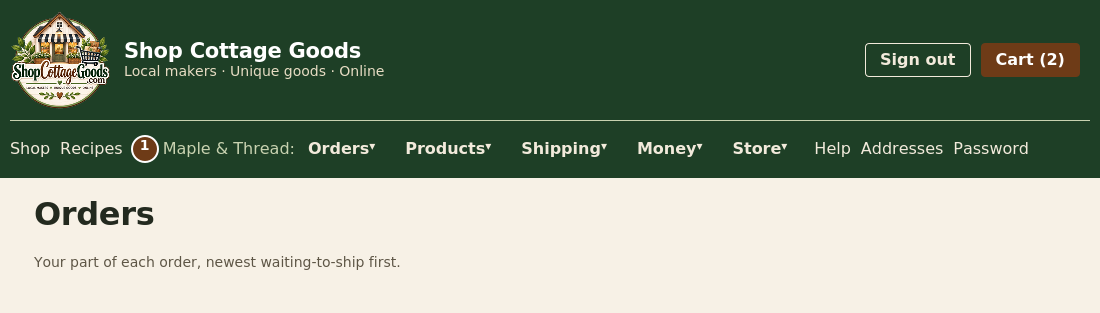 The numbers match the steps below. Select the picture to see it full size.
- Your store menu (marked 1): every page for running your store. Each page also has a Help button at the top that opens the matching topic.
| Menu | What's in it |
|---|
| Orders | Orders (ship, hand over, print receipts, labels, find an order) and Pickups (your market dates) |
| Products | Products, Promotions, Recipes and customer Reviews |
| Shipping | Shipping rates, carriers and local delivery |
| Money | Payouts, your Subscription and sales Tax |
| Store | Your store Profile (contact details and logo) and Team |
Select a menu to open it, then choose a page. On a phone, menus open as a list under the bar.
Your first day: a checklist
- Connect your bank on Payouts, so you get paid (topic 8).
- Set your shipping: your ZIP code and at least one shipping rule (topic 4).
- Add your products, with photos (topic 3).
- Optional: add market pickup dates (topic 5).
- Optional: start a promotion (topic 6).
- Optional: add a helper to your team (topic 9).