Checkout is paused for a short while for maintenance. Your cart is saved: please check back soon.
Help topic 1 of 10
Sign up to sell
Apply for your store, choose a plan and pay, then the marketplace reviews your application. It takes about five minutes.
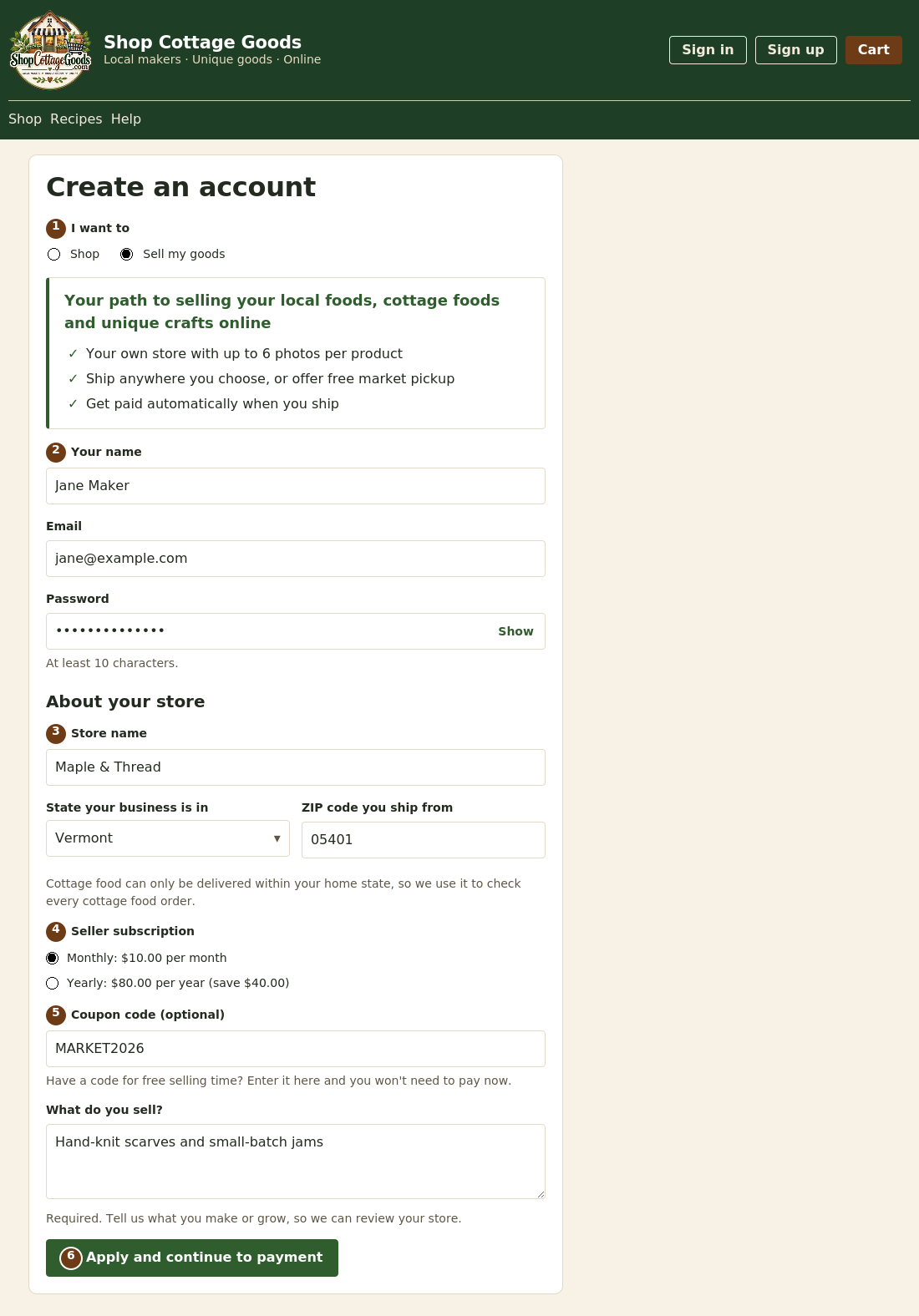 The numbers match the steps below. Select the picture to see it full size.
- Select Sign up at the top of any page, then choose Sell my goods under I want to. A summary of what you get as a seller appears.
- Enter your name, email and a password of at least 10 characters. Use Show to check what you typed.
- Enter your store name, the state your business is in, the ZIP code you ship from, and (further down) what you sell, which is required. Your state matters: cottage food can only be sold to shoppers in your home state.
- Choose a seller subscription: monthly, or yearly to save. The prices shown are the current ones.
- Have a coupon code from the marketplace? Enter it to get free selling time instead of paying now. Codes aren't case-sensitive.
- Select Apply and continue to payment. Your subscription is in your cart; finish checkout. No shipping address is needed for a subscription on its own. With a coupon, there's nothing to pay: your application goes straight to review.
What happens next
- The header shows Seller application in review until the marketplace decides. You're emailed either way.
- Your subscription time starts on the day you're approved, not the day you pay or use your coupon.
- If your application isn't approved, your payment is refunded automatically.
- Once approved, your store menu appears in the header. The next topic shows you around.